Japan is amazing… and also a little intimidating on Day 1, isn’t it?
You land, you step into a huge station, and suddenly you’re surrounded by signs, lines, platforms, and exits that all look equally correct. And if you don’t speak Japanese, it can feel like you’re one wrong turn away from accidentally moving to a different prefecture.
Don’t worry. You’re not the only one. This is where many first-time visitors get stuck. The good news is that Google Maps can do a lot of the heavy lifting in Japan—if you set it up the right way and know a few simple tricks.
In this guide, you’ll learn how to use Google Maps in Japan without feeling overwhelmed. We’ll cover prep before you fly, how to read train routes, how to avoid the “wrong exit” problem, and how to use Street View so you can walk out of a station looking like you totally meant to do that.
Quick Answer

Use Google Maps in Japan for three main things: saving places, finding public transport routes, and walking navigation.
Before your trip, download offline maps, save your hotel, and build a few simple lists.
During your trip, choose routes with fewer transfers, double-check station exits with Street View, and keep an eye on the last train time.
If anything looks different in real life, trust the station signs first—and check the latest official info when schedules matter.
Who This Guide Is For
This guide is for you if you’re:
- A first-time visitor to Japan who wants calmer, simpler navigation
- Traveling without Japanese language skills (totally fine!)
- Nervous about airports, major stations, and transfers
- Trying to avoid dragging luggage through crowded areas
- Planning Tokyo, Osaka, Kyoto, or any city with lots of train lines
- The type of traveler who sleeps better after doing a little prep
Before You Fly: Set Up Google Maps for a Stress-Free Start
1) Install the app and sign in (future you will thank you)
Google Maps works on both iOS and Android. It also works on a computer, but on travel days, your phone is the real hero.
Sign in to your Google account before you travel. That way, your saved places and lists sync automatically.
Stress-Free Tip: If you use multiple devices (phone + tablet), signing in helps you avoid the “Where did my saved places go?” panic.
2) Set “Home” to your hotel (yes, really)
Here’s a simple trick that many travelers find helpful: set your “Home” location to your Japan hotel for the trip.
Why? Because you’ll search for your hotel a lot. Especially at night. Especially when you’re tired. Especially when every street suddenly looks the same.
You can always change it back after your trip.
Stress-Free Tip: Also save your hotel as a pinned place and add it to a list called “Japan Trip.” Redundancy is calming.
3) Download offline maps (for when your internet has a bad day)
Japan’s mobile coverage is generally good in cities, but you may still run into weak signal spots—underground areas, busy stations, or rural day trips.
Offline maps can help you keep basic map access even if your connection is unstable. Features vary, and not everything works offline, but having the map downloaded is often better than staring at a loading screen.
Tiny warning: Offline maps take storage space. Download only the areas you’ll actually use (Tokyo area, Kyoto area, etc.).
Stress-Free Tip: Download your offline maps while on Wi‑Fi at home (or at your hotel), not while standing in an airport crowd.
4) Turn on helpful settings (without overthinking it)
A few settings can make navigation smoother:
- Location services: allow Google Maps to access your location while using the app
- Battery: navigation drains battery, so consider Low Power Mode only when needed
- Notifications: optional, but can help with turn-by-turn guidance
Stress-Free Tip: Carry a small power bank. Sounds dramatic? Maybe. But it helps when you’re navigating and translating at the same time.
Saving Places in Japan: Pins, Lists, Labels (Your Anti-Overwhelm System)
Search smart: use place names, not just categories
In Japan, “coffee shop” can bring up a lot of results. Like… a lot.
When possible, search by exact place name (for example, a specific museum, restaurant, or viewpoint). If you only know the area, search the neighborhood name plus what you want (like “Shinjuku ramen”).
If you’re not sure you found the right place, check the photos and reviews section. Many listings have plenty of visuals.
Stress-Free Tip: Look for a listing with multiple recent reviews and clear photos. It’s often easier than guessing from the map alone.
Drop a pin when you don’t know the name
Sometimes you’re planning from a blog or a video and the name isn’t clear. Or you’re standing in a neighborhood and want to remember “that cute side street.”
That’s when you use the long-press pin drop. Tap and hold on the map to place a pin, then save it.
Stress-Free Tip: Name the pin right away. “Nice street” will not help you three days later.
Create travel lists (simple, not perfect)
Google Maps lets you save places into lists like “Favorites,” “Want to go,” or custom lists.
For Japan, lists are a sanity-saver. You can make lists like:
- Tokyo Day 1
- Kyoto Temples
- Food I’ll Regret Not Eating (very scientific)
- Backup Plans (Rain)
Many travelers find that one list per city plus a small “Must-do” list is enough.
Stress-Free Tip: Keep your lists short. A list of 80 places is not a plan. It’s a stress generator.
Use labels for “high-stakes” locations
Labels are great for places that matter when you’re tired or rushed:
- Your hotel
- Your airport terminal (arrival and departure)
- A key bus stop
- A meeting point (if you’re traveling with friends)
Use labels like “Hotel Entrance,” “Airport Bus Stop,” or “Meet Here.” Make it obvious.
Stress-Free Tip: Add your hotel’s name and address to the label notes somewhere else too (like your phone notes). If your map app crashes, you still have the basics.
Share lists with your travel group (less texting, more enjoying)
Traveling with someone? Sharing a list can reduce the endless “Where are we going again?” messages.
Google has highlighted list saving and sharing as a useful travel planning feature, and it’s genuinely practical for Japan trips where you might split up and reunite later.
Stress-Free Tip: Agree on one shared list for “Today” and one for “Maybe.” Decision fatigue is real.
How to Use Transit Directions in Japan (Without Melting Down)
Start with the “Directions” button and choose the train icon
The basic flow is simple:
- Search your destination
- Tap Directions
- Select the public transport option
In Japan, transit directions are usually very detailed, especially in big cities. You’ll often see multiple route options with different transfer counts and walking distances.
Stress-Free Tip: When you’re new to Japan, it’s often easier to choose a route with fewer transfers, even if it’s a few minutes slower.
Choose routes like a calm person: transfers vs walking
Here’s the thing: a route that looks “fastest” on your phone can be stressful in real life.
Some transfers involve long underground walks, crowded corridors, or multiple levels. If you’re carrying luggage, that “2-minute transfer” can feel like a prank.
When comparing routes, look for:
- Number of transfers (fewer is usually calmer)
- Walking time (shorter is kinder to your feet)
- Total travel time (don’t obsess over saving 3 minutes)
Stress-Free Tip: If you have big luggage, consider choosing a route with fewer stairs and fewer transfers, even if it’s slightly longer.
Pay attention to the departure time (and the last train)
Google Maps shows suggested departure times and arrival times. That’s helpful, but schedules can change due to disruptions, maintenance, or weather.
Also, late at night, the last train matters a lot. If you’re out in the evening, double-check your route and timing, and check the latest official information if something looks tight.
Tiny warning: Don’t assume you can “just take a train later.” In many areas, late-night options get limited.
Stress-Free Tip: Screenshot your route before you go out at night. If your signal drops, you still have the plan.
Use “Reverse route” to get back to your hotel fast
After a long day, you don’t want to rebuild the route from scratch.
Use the reverse/swap function (switch origin and destination) so you can quickly go from “Sightseeing spot → Hotel.”
This is especially helpful when you’re leaving a temple area, a museum, or a big shopping complex and your brain is done for the day.
Stress-Free Tip: Save your hotel as “Home,” then you can route back with one tap.
Add a stop for practical needs (yes, including bathrooms)
You can add stops along your route. This is underrated.
Common “real travel life” stops include:
- A konbini (convenience store) for snacks and drinks
- A coffee shop when your energy drops
- A station with lockers if you need to store bags
And yes—sometimes you just need the nearest restroom. Planning a quick stop can make the whole day feel calmer.
Stress-Free Tip: Build in one “buffer stop” per day. It reduces the feeling of being chased by your itinerary.
Stations in Japan: How Google Maps Helps (and Where You Still Need Caution)
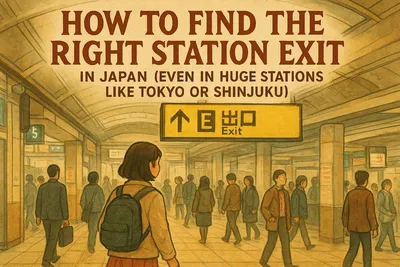
The “wrong exit” problem is real
Many Japanese stations have multiple exits. Sometimes a lot of exits. And the difference between the right one and the wrong one can be a 10–20 minute detour (or more).
Google Maps often suggests an exit, but station layouts can be complex, and exits can be labeled in ways that feel unfamiliar.
So what do you do?
- Check the suggested exit in Google Maps
- Then match it with station signage when you’re inside
- If you’re unsure, follow signs for a major landmark (department store, famous crossing, big hotel)
Stress-Free Tip: If you pop up to street level and it looks wrong, don’t keep walking “to see if it fixes itself.” Go back down and try a different exit.
Platforms and track numbers: helpful, but double-check
In many cases, transit directions show details like platforms or track numbers. That can be useful, but it’s not a guarantee.
When you’re in the station, the most reliable source is the platform displays and station signs. If there’s a mismatch, trust the station information and check the latest official updates if needed.
Stress-Free Tip: Confirm the line name and destination (final stop) on the platform sign. That’s often clearer than focusing only on platform numbers.
Rush hour + navigation = extra spicy
If you can, avoid navigating big stations during peak commuter times. It’s not dangerous, just overwhelming—especially with luggage.
Many travelers find mid-morning and early afternoon easier for transfers. If you must travel at busy times, give yourself extra time and keep your phone ready before you enter the crowd.
Stress-Free Tip: If you remember one thing, remember this: time buffer is your best travel skill in Japan.
Walking Navigation in Japan: Make the Blue Dot Work for You
Calibrate your compass when the map spins
Sometimes the blue dot points the wrong way at first—especially near tall buildings or right outside stations.
If your map is spinning like it’s auditioning for a dance show, pause for a moment and let it settle. You can also recalibrate your compass (the app may prompt you).
Stress-Free Tip: Step away from the station entrance by 20–30 meters before judging directions. GPS often becomes more stable.
Use Street View to “pre-walk” the first 2 minutes
This is one of the best ways to prevent that awful feeling of “I’m lost and everyone knows it.” (They don’t, by the way.)
Before you start walking, use Street View to check:
- What the exit area looks like
- Which side of the road you should be on
- What your first turn looks like
Some features like Immersive View exist in certain areas and can help you visualize big city spaces, but availability varies by location and updates over time.
Stress-Free Tip: Street View is especially useful for finding bus stops and building entrances that are easy to miss.
Zoom in for the final 100 meters (Japan has many “almost there” moments)
In dense neighborhoods, you might arrive near the destination but still not see it.
This happens a lot with:
- Restaurants on upper floors
- Small cafes tucked into side streets
- Entrances that are not obvious from the main road
Zoom in, check the building outline, and look at photos in the listing. Many listings show the entrance or signage.
Stress-Free Tip: If the place is in a multi-tenant building, look for a small directory sign near the entrance. It’s common in Japan.
Using Google Maps for Food, Hours, and “Is This Place Real?” Checks
Check hours, but don’t treat them as a promise
Google Maps often shows opening hours, busy times, and holiday schedules. That’s helpful, but it can be wrong sometimes—especially around holidays, special events, or temporary changes.
If a place is important to you, it’s smart to check the latest official source (official website or official social media) before you go.
Tiny warning: Some restaurants close between lunch and dinner. If you arrive mid-afternoon and it’s closed, you didn’t do anything wrong.
Stress-Free Tip: Always have one nearby backup option saved. Hungry-you deserves options.
Use reviews and photos to reduce language stress
If you don’t speak Japanese, Google Maps reviews and photos can help you figure out:
- What the menu looks like
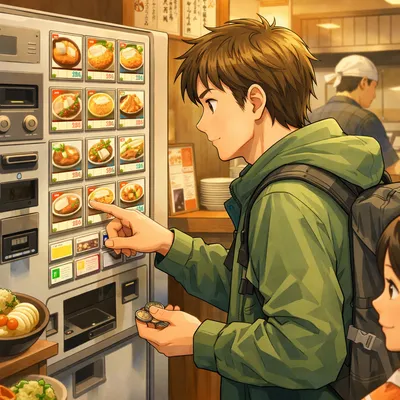
- Whether there are pictures or ticket machines
- How casual or formal the place feels
This is great for avoiding awkward moments like walking into a place that’s much fancier than you expected.
Stress-Free Tip: Look at photos first, then reviews. Photos answer most “What is this place?” questions faster.
Common Mistakes (Totally Understandable, But Try to Avoid These)
- Relying on “fastest route” every time
It can mean more transfers and more stress. A slightly slower route is often easier. - Not saving your hotel
Typing it repeatedly is annoying, and one typo can send you to the wrong place. - Ignoring exits
Choosing the wrong exit can add a surprising amount of walking. Check before you surface. - Assuming hours are always accurate
Hours can change. For must-visit spots, check official sources before you go. - Starting navigation with low battery
Maps + camera + translation can drain your phone quickly. It’s a common “oops.”
Recommended Options (Only If You Want Even Less Stress)
eSIM or SIM card
Best for:
Travelers who want reliable data for maps, translation, and messaging without depending on public Wi‑Fi.
Not ideal for:
Phones that don’t support eSIM, or travelers who prefer not to change network settings.
My honest take:
If you’ll be navigating cities and stations daily, having steady data is one of the simplest ways to feel calmer. Just make sure you check compatibility and the latest plan details before purchase.
Pocket Wi‑Fi
Best for:
Groups or families who want to connect multiple devices, or travelers who prefer a separate Wi‑Fi device.
Not ideal for:
Solo travelers who don’t want another device to charge and carry.
My honest take:
Pocket Wi‑Fi can be convenient for groups, but it adds one more thing to keep powered. If you’re already managing cameras and phones, simpler might be better.
Luggage delivery (takkyubin)
Best for:
Travelers moving between cities who want to avoid hauling suitcases through busy stations.
Not ideal for:
Very short stays where you need your bag immediately, or last-minute plans with no delivery time.
My honest take:
This can make Google Maps navigation much easier because you’re not trying to find elevators and wide gates while dragging a suitcase. Timing and availability vary, so check current details with your hotel or the delivery company.
Stress-Free Checklist
- Install Google Maps and sign in before your trip
- Set “Home” to your Japan hotel (temporarily)
- Save your hotel to a list and label it clearly
- Create simple city lists (Tokyo, Kyoto, Osaka) and keep them short
- Download offline maps for the areas you’ll visit
- Screenshot key routes (airport to hotel, hotel to day-trip station)
- Use Street View to check station exits and bus stop locations
- Choose routes with fewer transfers when you’re tired or carrying luggage
- Carry a power bank or plan charging breaks
- Check the latest official info when schedules really matter
FAQ
Does Google Maps work well for trains in Japan?
In many major cities, it works very well for route planning and comparing options. For disruptions or special schedules, it’s smart to check the latest official railway updates too.
Can I use Google Maps in Japan without internet?
You can download offline maps for basic navigation, but some features may be limited. For smooth transit directions, having data is usually easier.
Why does Google Maps sometimes send me to the “wrong side” of the station?
Big stations have many exits, and GPS can be unstable near tall buildings. Use Street View, zoom in, and double-check exit signs inside the station.
Is it okay to rely on Google Maps for bus routes in Japan?
It can be helpful, and many routes show stop names and times. But bus schedules can change, so confirm with local signage or official sources when it’s important.
What’s the easiest way to get back to my hotel at night?
Save your hotel as “Home,” then use Directions and swap/reverse the route. Screenshot the route if you’re worried about signal or battery.
Final Thoughts
You don’t need to be perfect. You just need to be prepared.
Google Maps won’t remove every confusing moment (Japan stations like to stay humble-brag complicated), but it can drastically reduce the stress—especially if you save your hotel, download offline maps, and use Street View for exits.
Do a little setup before you fly, keep your daily plan simple, and give yourself time buffers. That’s the real secret, isn’t it?
Once you get through your first big station successfully, everything feels easier. And you’ll start trusting yourself. That’s when Japan becomes really fun.