Your IC card not working at a ticket gate can feel stressful, especially when people are waiting behind you. The good news is that this is a normal station problem, and there is usually a simple fix.
Do not force your way through the gate or keep tapping repeatedly. Step to one side if you can, check the screen, and use the station staff or a fare adjustment machine when needed. You will not be expected to solve every technical issue by yourself.
Quick Answer: What to Do Right Now
- Stop and read the gate screen. It may show a low-balance message, an error, or a message telling you to contact staff.
- Do not tap again and again. Repeated taps can make it harder to understand what happened.
- Move aside and check your balance. Use a recharge machine, ticket machine, or your mobile IC card app if available.
- Use a fare adjustment machine if the station has one. This can help with a fare shortage or an unpaid difference on some journeys.
- Go to the staffed gate if the message is unclear. Show your card or phone to the attendant. They can check the travel record and tell you what is needed.
If you are unsure, the staffed gate is always the safest option. Station staff regularly help visitors with IC card problems, even when communication is limited.
First: Do Not Try to Slip Through Another Gate
When a gate closes or beeps, it is tempting to try the next gate immediately. Avoid doing this. The card may have recorded part of the attempt, and tapping at several gates can make the situation less clear.
Instead, step away from the gate area, keep your card or phone ready, and look for one of these options:
- A recharge machine
- A ticket or fare adjustment machine
- A staffed gate or station office
- An information counter in a larger station
If a queue is forming behind you, a small gesture and moving aside is enough. Most commuters understand that gate errors happen.
A One-Minute Guide to the Most Likely Cause
| What happened? | Likely reason | What to do next |
|---|---|---|
| The gate says your balance is too low | There is not enough stored value to cover the fare | Recharge, then use the fare adjustment machine or ask staff. |
| You have enough balance, but the gate still rejects the card | An incomplete previous trip, wrong card, unsupported route, or reading issue | Go to a staffed gate so the travel record can be checked. |
| You entered with one card and tried to exit with another | The entry and exit records do not match | Tell station staff which card you used at the start of the trip. |
| You are holding a wallet over the reader | More than one contactless card may be interfering | Remove the intended IC card and tap it by itself. |
| Your phone will not scan | Phone battery, NFC setting, device position, or mobile card issue | Try once carefully, then show your phone to staff if it still fails. |
| You used a limited express, Shinkansen, or special service | An additional ticket, reservation, or separate fare may be required | Ask staff where to pay or show the relevant ticket or reservation. |
Common Reason 1: Your IC Card Balance Is Too Low
This is the most straightforward problem. Your card may have had enough money when you entered the station, but not enough to cover the final fare when you exit.
Look for a recharge machine or ticket machine. Many machines let you add value using cash, and some accept other payment methods depending on the railway company and machine. Available methods can change, so check the screen instructions.
After recharging, you may be able to use a fare adjustment machine. If you are not sure which machine to use, go directly to the staffed gate rather than guessing.
Keep in mind that a card balance shown before boarding does not always tell you the exact final fare. Transfers, route choices, and travel across different railway areas can affect what is due.
Related guide: Learn the basics in How to Use IC Cards in Japan: Suica, PASMO, and Other Travel Cards Explained (Stress-Free Guide).
Common Reason 2: There Is an Incomplete Trip on the Card
An IC card keeps a record when you enter a station and when you leave. If the system does not have a matching record, the gate may not open.
This can happen if:
- You entered a station but left through a different route without tapping out correctly.
- A gate did not read your card properly at the start or end of a previous journey.
- You accidentally tapped a different card on entry.
- You changed plans and did not complete the journey as expected.
This is not usually something you can fix by recharging. Station staff need to inspect the card record and settle the journey correctly. Simply show them your card and explain where you started your trip.
If you do not know the station name, show it on your map app or point to your route. A screenshot of your directions can be useful.
Common Reason 3: You Used a Different Card When You Entered
If you carry more than one IC card, it is easy to enter using one card and try to exit using another. This can happen with physical cards, mobile wallets, bank cards, hotel key cards, or transit cards from other countries.
Think back to the start of your trip. Did you tap your physical Suica or PASMO card? Did you use your phone instead? Did you hold your wallet over the reader?
Tell the attendant exactly what you remember. They can check the card you used and help settle the correct fare.
How to Prevent Card Interference
- Take your IC card out of your wallet before tapping.
- Use one consistent card for the whole day.
- Keep physical transit cards separate from contactless bank cards.
- If using a phone, avoid holding a wallet or another card against the reader at the same time.
Common Reason 4: Your Route Is Not Fully Covered by IC Card Travel
IC cards are widely useful in Japan, but they do not cover every train route or every type of journey in the same way. Some rural lines, smaller operators, and particular station combinations may have restrictions.
You may also need an extra ticket for travel that includes:
- A limited express or other reserved service
- A seat reservation
- A Shinkansen journey
- A railway section that does not accept your IC card
- A trip between areas where the IC system cannot process the full journey
An IC card may cover a local train portion of a trip while a separate ticket is required for the faster or reserved portion. Do not assume that tapping in means every part of the journey is included.
Rules differ by operator and can change, so check the current information from the relevant railway company before taking a long-distance or complicated route.
Related guide: For a clearer overview of ticket types, see How to Buy Train Tickets in Japan: IC Cards, Ticket Machines and Shinkansen Tickets.
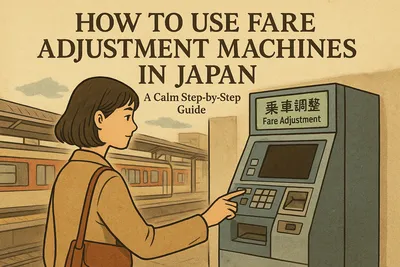
Can a Fare Adjustment Machine Fix the Problem?
Sometimes, yes. Fare adjustment machines are designed to help passengers pay a remaining fare or resolve certain ticket differences before exiting. They are often near the gates, especially at larger stations.
A fare adjustment machine may help if:
- Your balance is too low and you need to pay the difference.
- You used a paper ticket and need to adjust the fare.
- Your route cost more than expected.
However, use the staffed gate instead if:
- The machine cannot read your card.
- You have an incomplete entry record.
- You used the wrong card at one end of the journey.
- You travelled on a train requiring an additional ticket.
- You are not confident that you understand the machine’s instructions.
There is no prize for solving it without help. Asking an attendant early can save time, particularly during a transfer.
What to Do If Your Mobile IC Card Will Not Scan
Mobile IC cards on a phone or smartwatch are convenient, but they add a few device-specific reasons for gate errors.
Try these calm checks:
- Make sure your device has enough battery to operate normally.
- Hold the correct part of the phone over the reader and pause briefly.
- Check that the intended transit card is selected if your device requires this.
- Remove a thick case or any accessory that may affect contactless reading.
- Do not repeatedly move the phone back and forth over the reader.
If the phone is switched off, has a technical problem, or does not scan after one careful attempt, go to a staffed gate. Explain that you used a mobile IC card. Staff may ask you to show the card in your wallet app or identify the station where you began.
Before your trip, it is sensible to keep another payment method and some cash available. That way, a low phone battery or app issue does not leave you without options.
Related guide: For practical payment backup ideas, read How to Pay in Japan: Cash, Credit Cards, IC Cards, and Mobile Payments Explained (Without Stress).
If You Are Changing Trains and the Gate Will Not Open
At a transfer station, first check whether you are trying to exit the paid area or simply change platforms. Many transfers do not require you to leave through an exit gate at all.
If you need to change between railway companies, you may pass through a transfer gate. These gates can look different from regular exit gates and may require you to tap your IC card, insert a paper ticket, or do both depending on your journey.
When in doubt, look for signs showing your next line, or ask staff before leaving the gate area. If you accidentally exit, it may still be fixable, but it can add an extra step.
Related guide: Follow transfers more confidently with How to Use Trains in Japan: Routes, Platforms, Transfers and Etiquette.
Useful Things to Show Station Staff
You do not need to speak perfect English or Japanese. A few details will help staff resolve the issue faster:
- Your physical IC card, or your phone with the mobile card visible
- The station where you started
- Your intended destination
- Any paper tickets, reservations, or seat tickets you used
- A route screenshot from your phone, if you have one
A simple sentence such as “I entered at this station, but my card does not work” is enough. Pointing to a station name on a map is also perfectly acceptable.
Common Mistakes to Avoid
- Trying every gate: Use one careful attempt, then move aside.
- Assuming every error means low balance: A balance top-up will not fix an unmatched entry record.
- Using multiple cards without checking: Make sure you exit with the same card used to enter.
- Throwing away paper tickets too early: Keep all tickets until you have completed the journey.
- Assuming IC cards cover all trains: Check whether your service needs an extra ticket or reservation.
- Waiting until your phone is nearly empty: Charge your device before a long travel day if you rely on a mobile card.
Checklist Before Your Next Train Journey
- Check your IC card balance before entering the station.
- Carry the card you plan to use in an easy-to-reach place.
- Use the same card or device for entry and exit.
- Keep paper tickets and reservations with you until the journey is over.
- Check whether your train is local, limited express, or Shinkansen service.
- Keep a backup payment method and some cash.
- Save your route and destination station on your phone.
Related guide: Prepare your phone before travel with Japan Travel Apps You Should Download Before Your Trip (First-Timer List).
FAQ: IC Card Problems at Japan Ticket Gates
Will I be charged twice if the gate does not open?
Usually, a gate error does not mean you will automatically be charged twice. However, the card may have recorded an incomplete entry or exit attempt. If you are worried, ask station staff to check the record before continuing.
Can I just pay cash at the exit instead?
Often, staff can help you settle a fare with cash or another accepted payment method if necessary. The exact process depends on the operator and station. Do not leave the paid area without resolving the IC card record first.
What if I have enough money on my IC card?
If the balance is sufficient, the problem may be an incomplete previous trip, a wrong-card issue, a route restriction, or an additional ticket requirement. Go to the staffed gate rather than repeatedly recharging.
Can I use my IC card for the Shinkansen?
Some Shinkansen arrangements allow IC card use in combination with specific reservations or services, but a standard IC card alone does not automatically cover every Shinkansen trip. Check the current rules for your route and booking method before boarding.
What happens if I entered with a physical card but want to exit with my phone?
You should use the same card or device for both ends of the trip. If you entered with a physical card, exit with that physical card. If you no longer have it or cannot use it, ask station staff for help.
Final Reassurance
An IC card gate error is inconvenient, but it is rarely a major travel problem. The best approach is simple: stop, do not keep tapping, check whether the issue is a low balance, and ask staff whenever the answer is not obvious.
Japan’s rail system can look complicated at first, but station staff and fare adjustment systems are there for exactly these situations. Give yourself a little extra time, keep your travel details handy, and you will soon be on your way again.